
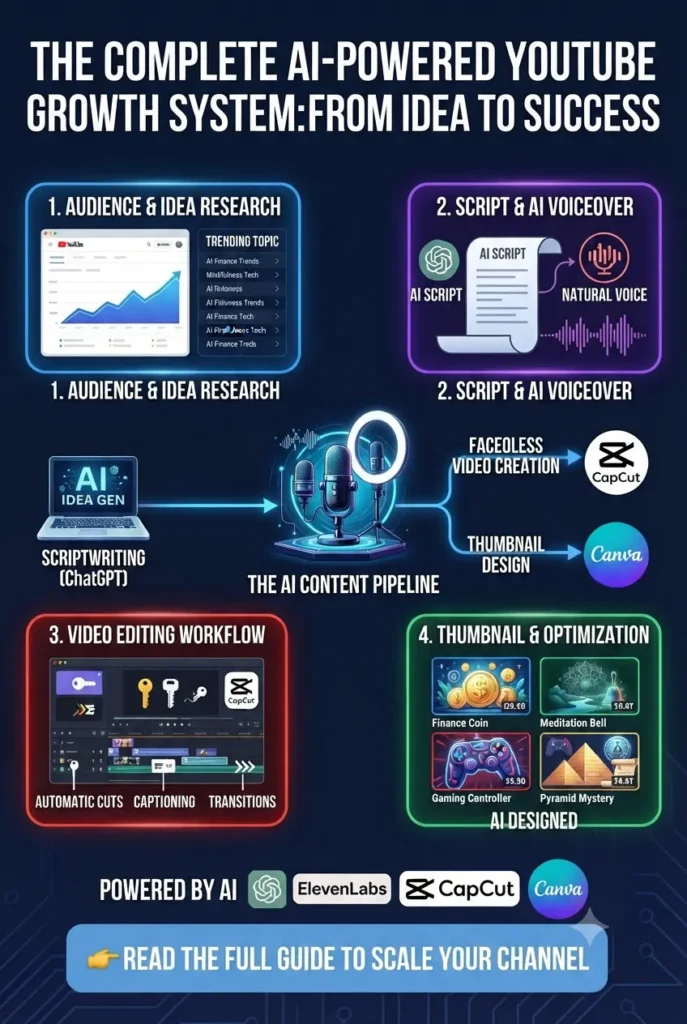
Creating a YouTube video requires more than just recording. Creators need to find profitable video ideas, research topics, write scripts, improve voice quality, edit videos, design thumbnails, and optimize content for search.
The best free AI tools for YouTube creators can simplify this entire process by helping with everything from planning videos to creating and improving content. Whether you are a beginner starting your first channel, a faceless creator, or a content creator looking to save time, AI tools can make video production faster and easier.
However, not every tool advertised as “free” is actually useful. Some add watermarks, limit exports, or lock important features behind paid plans. That is why choosing the right free AI tools without watermarks matters.
In this guide, you will learn how to make YouTube videos using free AI tools with practical solutions for scripting, research, editing, audio enhancement, thumbnails, and YouTube growth.
15 Best AI Tools for Content Creators in 2026 to Create Content Faster
Best Free AI Tools for YouTube Creators at a Glance
Choosing the right AI tool depends on which part of the YouTube creation process you want to improve. Some tools are better for writing scripts, while others help with editing, thumbnails, audio, or video optimization.
Here are the best free AI tools for YouTube creators and what they are best used for:
| AI Tool | Best For | What It Helps With |
| ChatGPT | Video ideas and scripts | Brainstorming topics, creating outlines, writing hooks, and improving scripts |
| Perplexity AI | YouTube research | Finding information, checking facts, and discovering content ideas |
| CapCut | Free AI video editing | Editing videos, auto captions, effects, and quick improvements |
| DaVinci Resolve | Professional editing | Advanced video editing without expensive software |
| Adobe Podcast | Audio enhancement | Cleaning voice recordings and improving audio quality |
| Canva AI | YouTube thumbnails | Creating attractive thumbnails and visual content |
| vidIQ | YouTube SEO | Keyword ideas, titles, and channel optimization |
| OpusClip | YouTube Shorts | Turning long videos into short-form content |
These tools cover the complete YouTube workflow—from research and scripting to editing, publishing, and growing your channel.
How to Make YouTube Videos Using Free AI Tools (Complete Workflow)
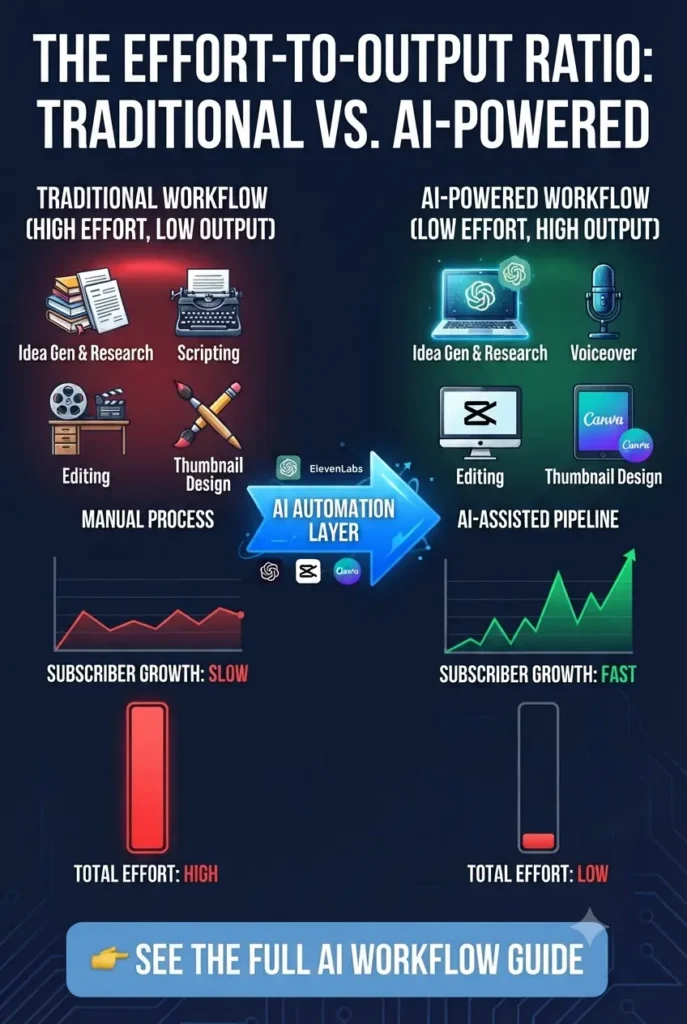
Creating a YouTube video becomes much easier when you use AI tools at each stage of the process. Instead of trying to do everything manually, you can use AI to speed up research, writing, editing, and optimization while keeping your own creativity involved.
Here is a simple AI-powered YouTube workflow:
1. Find Video Ideas and Research Topics
Before creating a video, you need an idea that people actually want to watch. AI tools can help you discover content ideas, understand audience questions, and research topics faster.
Recommended tools:
- ChatGPT for brainstorming video ideas and titles
- Perplexity AI for research and fact-checking
2. Create a Script and Improve Your Video Structure
A good script helps keep viewers watching. AI can help you create outlines, improve hooks, organize information, and develop video structures.
Recommended tools:
- ChatGPT
- Google Gemini
Use AI as a writing assistant, but add your own experiences and examples to make your content unique.
3. Edit Your Videos Faster With AI
Editing is usually one of the most time-consuming parts of YouTube creation. AI-powered editors can help with captions, removing unwanted sections, adding effects, and improving your workflow.
Recommended tools:
- CapCut
- DaVinci Resolve
These are useful options if you want to edit YouTube videos with AI for free without investing in expensive editing software.
4. Improve Audio Quality and Create Voiceovers
Clear audio has a major impact on viewer retention. AI audio tools can remove background noise, improve recordings, and help creators who do not have professional microphones.
Recommended tools:
- Adobe Podcast Enhance Speech
- ElevenLabs
5. Create Thumbnails and Optimize Your Video
A good video still needs a strong title and thumbnail to attract clicks. AI design tools can help you create better visuals and improve your YouTube packaging.
Recommended tools:
- Canva AI for thumbnails
- vidIQ for SEO and keyword research
By combining these tools, beginners can build a complete YouTube workflow using free AI tools without needing expensive software or a large production team.
Best Free AI Tools for YouTube Script Writing and Research
A successful YouTube video usually starts before recording. You need a strong idea, a clear structure, and accurate information. AI writing and research tools can help creators plan videos faster, improve scripts, and discover better content angles.
The important thing is to use AI as a creative assistant while adding your own experience, opinions, and storytelling style.
ChatGPT — Best AI Script Generator for YouTube Ideas and Outlines
ChatGPT is one of the most popular AI tools for YouTube creators because it can help with brainstorming, scripting, and content planning.
What you can use it for:
- Generating YouTube video ideas
- Creating outlines and scripts
- Writing hooks and introductions
- Improving video titles
- Creating content plans
Free tier:
ChatGPT offers a free plan that gives users access to AI models with usage limits. The free version is enough for beginners who need help with ideas, outlines, and basic script assistance.
Best for:
- Beginner YouTubers
- Educational creators
- Faceless channel planning
- Content brainstorming
Limitation:
The free version has usage limits, and AI-generated scripts still need human editing to add personality and originality.
Recommendation:
Use ChatGPT to build your video structure, but avoid copying scripts directly. Your own examples and experiences will make your content stand out.
ChatGPT Guide for Beginners: Hidden Features, Best Prompts & Real Ways to Use It
Google Gemini — Best Free AI Tool for Brainstorming Video Ideas
Google Gemini is useful for creators who want another AI assistant for exploring topics and generating content ideas.
What you can use it for:
- Finding video ideas
- Creating content outlines
- Exploring different angles
- Improving brainstorming
Free tier:
Gemini provides free access with daily usage limits. For most beginners, the free version is enough for planning videos and generating ideas.
Best for:
- New creators
- Brainstorming content ideas
- Creators using Google tools
Limitation:
Like other AI assistants, it should not replace your own research and creativity.
Google Gemini AI Guide 2026: Things You Need to Know Before Using It
Perplexity AI — Best Free AI Tool for YouTube Research
Perplexity AI is designed more for research than creative writing. It helps creators find information, check facts, and understand topics before creating videos.
What you can use it for:
- Researching video topics
- Finding sources
- Fact-checking information
- Discovering audience questions
Free tier:
Perplexity offers a free plan with daily search access and limited advanced features. The free version is useful for most beginner creators who need reliable research.
Best for:
- Educational channels
- Tutorial creators
- News and commentary channels
Limitation:
Advanced AI models and higher usage limits require a paid plan.
Recommendation:
Use Perplexity before writing your script to reduce mistakes and create more trustworthy videos.
Best Free AI Video Editors for YouTube Without Watermarks
Video editing is one of the biggest challenges for new YouTube creators. A good editor can help you remove mistakes, add captions, improve pacing, and create a more professional-looking video.
The best free AI video editors for YouTube should be easy to use, provide useful AI features, and allow creators to export videos without unnecessary restrictions.
Best Free AI Video Generators 2026 (Viral TikTok & YouTube)
CapCut — Best Free AI Video Editor for YouTube Beginners
CapCut is one of the most popular choices for creators who want to edit YouTube videos quickly without learning complicated software.
It provides AI-powered features like:
- Automatic captions
- Background removal
- AI effects and templates
- Auto reframing
- Noise reduction
- Quick video adjustments
Free tier:
CapCut offers a free version with many editing features available without payment. Desktop users can export videos without a traditional watermark in most cases, although some premium effects and assets require a paid plan.
Best for:
- Beginner YouTubers
- Shorts creators
- Fast editing workflows
- Creators who need simple AI editing tools
Limitation:
Some advanced AI features, templates, and premium assets are locked behind CapCut Pro.
Recommendation:
If you are starting a YouTube channel and want a simple free AI video editor for YouTube, CapCut is one of the easiest tools to begin with.
DaVinci Resolve — Best Professional Free Video Editor
DaVinci Resolve is a powerful editing tool used by beginners and professional creators. Unlike many free editors, it provides advanced features without adding a watermark to exported videos.
You can use it for:
- Professional video editing
- Color correction
- Audio improvement
- Visual effects
- Advanced timeline editing
Free tier:
DaVinci Resolve offers a completely free version with professional editing features. The paid Studio version adds advanced AI tools and extra effects, but most YouTube creators can start with the free edition.
Best for:
- Long-form YouTube videos
- Educational channels
- Creators who want professional control
Limitation:
The learning curve is higher compared with beginner-friendly editors like CapCut.
Recommendation:
Choose DaVinci Resolve if you want a long-term editing tool and are willing to spend time learning a more advanced workflow.
OpusClip — Best AI Tool for Turning Long Videos Into Shorts
OpusClip helps creators repurpose existing long-form videos into short vertical content.
It can:
- Find important moments automatically
- Create YouTube Shorts
- Add captions
- Resize videos for different platforms
Free tier:
OpusClip offers a free plan with limited monthly processing credits. It is useful for testing the tool and creating a small number of clips.
Best for:
- Podcast creators
- Long-form YouTubers
- Shorts growth strategies
Limitation:
Free credits are limited, and heavy users may need a paid plan.
Recommendation:
Use OpusClip when you already have long videos and want to create more content without editing every Short manually.
Best Free AI Tools for YouTube Audio and Voiceovers
Audio quality can make a huge difference in how long viewers stay on your videos. Many beginners focus on cameras and editing but ignore sound quality. A simple AI audio tool can help remove background noise, improve clarity, and make recordings sound more professional.
Adobe Podcast Enhance Speech — Best AI Audio Cleaner for Voiceovers
Adobe Podcast Enhance Speech is a simple AI-powered tool that improves voice recordings by reducing background noise and making audio sound closer to a studio recording.
You can use it for:
- Cleaning microphone recordings
- Improving voice clarity
- Removing background noise
- Enhancing spoken content
Free tier:
Adobe Podcast offers a free version with limited daily usage. The free plan is enough for many beginners who need to improve short voice recordings without buying expensive microphones.
Best for:
- Beginner YouTubers
- Educational videos
- Tutorials
- Voiceover-based content
Limitation:
The free version has usage limits, and it is mainly focused on speech enhancement rather than complete audio production.
Recommendation:
If your recording quality is not perfect, Adobe Podcast is one of the easiest ways to improve your voice before uploading a YouTube video.
ElevenLabs — Best AI Voice Generator for Faceless YouTube Channels
ElevenLabs is a popular AI voice generation tool that creates realistic AI voices for narration. It is especially useful for creators who run faceless YouTube channels and need voiceovers without recording their own voice.
You can use it for:
- AI voice narration
- Explainer videos
- Storytelling channels
- Video voiceovers
Free tier:
ElevenLabs provides a free plan with monthly character limits. The free credits are enough for testing voices and creating shorter videos, but regular content production may require a paid plan.
Best for:
- Faceless YouTube channels
- Creators who need narration
- Short educational videos
Limitation:
Free usage is limited, and AI voices may still require editing to sound natural and match your brand style.
Recommendation:
AI voices can save time, but avoid making your entire channel feel automated. Add your own style, editing, and storytelling to create better viewer connection.
Best Free AI Tools for YouTube Creators: Thumbnails and SEO
Creating a great video is only one part of growing on YouTube. Your thumbnail, title, and search optimization determine whether people discover your content and decide to click.
The best free AI tools for YouTube creators should not only help with video production but also improve the way your content is packaged and discovered.
Best AI Image Generation Tools for Beginners, Bloggers & Creators
Canva AI — Best Free YouTube Thumbnail Maker AI
Canva is one of the easiest tools for creating professional-looking YouTube thumbnails, even if you have no design experience.
You can use it for:
- YouTube thumbnail templates
- AI-powered design suggestions
- Background removal
- Text and graphic layouts
- Channel branding
Free tier:
Canva offers a free plan with thousands of templates and design features. Some AI features, premium elements, and advanced tools require Canva Pro.
Best for:
- Beginner creators
- Educational channels
- Faceless YouTube channels
- Creators who need quick thumbnail designs
Limitation:
Many premium images, templates, and AI features are restricted to paid users.
Recommendation:
Use Canva to create simple thumbnails with clear text, strong contrast, and one main idea. A good thumbnail should explain the value of the video in seconds.
vidIQ — Best Free AI Tool for YouTube SEO
vidIQ helps creators understand what viewers are searching for and improve their video optimization strategy.
You can use it for:
- Keyword research
- Video title ideas
- Competitor analysis
- Content suggestions
- Channel insights
Free tier:
vidIQ offers a free plan with basic keyword tools, daily ideas, and limited analytics features. Advanced AI recommendations and deeper insights require a paid subscription.
Best for:
- New YouTubers
- Search-based channels
- Creators who want better video ideas
Limitation:
The free version provides limited data compared with paid plans.
Recommendation:
Use vidIQ to support your research, but do not depend only on tool scores. Understanding your audience is still more important than any AI suggestion.
TubeBuddy — Best Alternative for YouTube Keyword Research
TubeBuddy is another creator tool that helps with YouTube optimization and channel management.
You can use it for:
- Keyword exploration
- Title testing
- SEO suggestions
- Video management
Free tier:
TubeBuddy offers a free browser extension with basic YouTube optimization features. Some advanced SEO and productivity tools require paid plans.
Best for:
- Beginners improving their channel setup
- Creators managing multiple videos
Limitation:
Advanced keyword data and testing features are limited on the free plan.
Best Free AI Tools for Faceless YouTube Channels
Faceless YouTube channels have become popular because creators can produce videos without appearing on camera. However, building a successful faceless channel still requires good research, scripts, voiceovers, visuals, and editing.
The right faceless YouTube channel AI tools can help simplify the process, but AI should support your creativity rather than replace the entire content strategy.
A Simple AI Workflow for Faceless YouTube Videos
1. Research and Video Ideas — ChatGPT + Perplexity AI
Use AI to:
- Find content ideas
- Research topics
- Create video outlines
- Discover audience questions
2. Script Writing — ChatGPT
Use AI for:
- Video structure
- Hooks
- Narration drafts
- Story outlines
Always improve AI scripts with your own research and storytelling style.
3. AI Voiceovers — ElevenLabs
For creators who do not want to record their own voice, AI voice tools can generate realistic narration.
Best for:
- Explainer videos
- Story channels
- Educational content
4. Video Editing — CapCut
CapCut helps combine:
- AI voiceovers
- Stock footage
- Captions
- Visual effects
It is a beginner-friendly option for creating faceless videos quickly.
5. Thumbnails — Canva AI
Use Canva to create:
- Thumbnail designs
- Visual elements
- Consistent channel branding
Recommended Free AI Stack for Beginners
If you are starting a faceless YouTube channel, you do not need dozens of tools.
A simple setup:
| Task | Tool |
| Research | Perplexity AI |
| Scripts | ChatGPT |
| Voice | ElevenLabs |
| Editing | CapCut |
| Thumbnails | Canva |
This workflow gives beginners a practical way to create videos using AI while still adding their own ideas and creativity.
AI Tools for YouTube Automation: What You Can Actually Automate
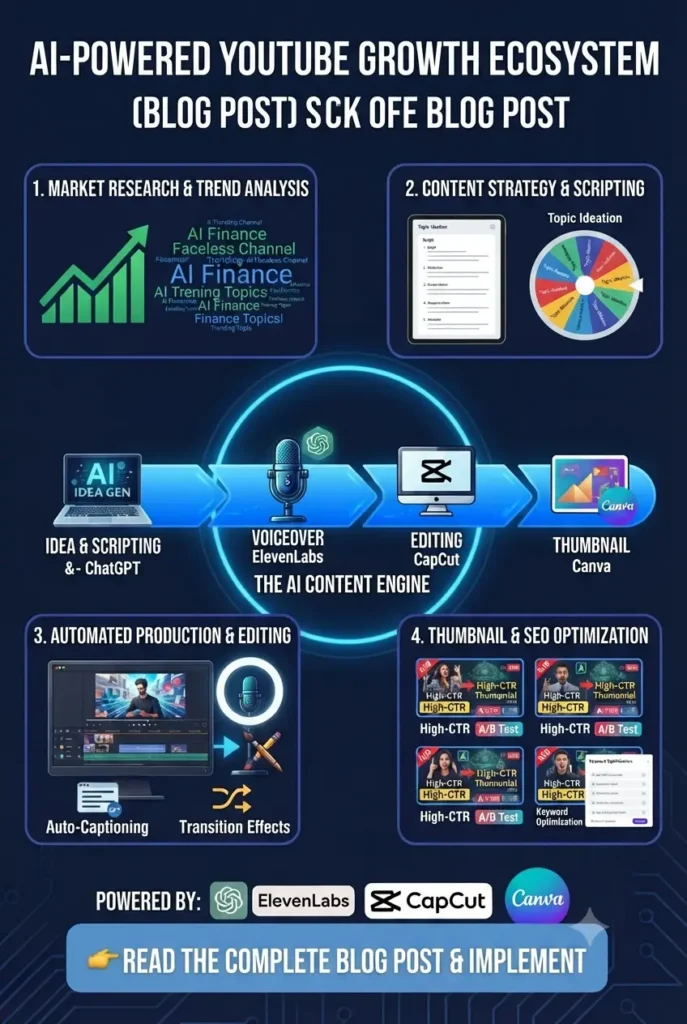
Many creators search for AI tools for YouTube automation because they want to create videos faster and reduce repetitive work. AI can help automate many parts of the YouTube workflow, but it works best as an assistant—not as a replacement for creativity.
A successful channel still needs original ideas, human judgment, and content that provides real value to viewers.
Tasks You Can Automate With AI
1. Video Research and Topic Discovery
AI tools can help you:
- Find trending topics
- Discover audience questions
- Analyze content ideas
- Create video outlines
Tools:
- Perplexity AI
- ChatGPT
- vidIQ
2. Script Assistance
AI can speed up:
- Research notes
- Video structures
- Hooks
- First drafts
Tools:
- ChatGPT
- Google Gemini
However, always rewrite and personalize scripts before publishing.
3. Editing Assistance
AI editing tools can automate:
- Captions
- Background removal
- Short-form clips
- Basic video improvements
Tools:
- CapCut
- OpusClip
4. Content Repurposing
One long YouTube video can become:
- YouTube Shorts
- Social media clips
- Short educational posts
Tools:
- OpusClip
- Vizard
What You Should Not Fully Automate
Even the best AI tools cannot replace:
- Your unique perspective
- Personal experiences
- Storytelling
- Understanding your audience
Channels that only publish fully automated AI content often struggle because viewers want useful and original content, not just generated videos.
The best approach is to use AI to save time while keeping human creativity at the center of your YouTube strategy.
Common Mistakes YouTube Creators Make When Using AI Tools
AI tools can make YouTube creation faster, but they cannot fix poor strategy. Many beginners use powerful tools but still struggle because they make mistakes during the content creation journey.
Avoiding these mistakes can help you create better videos, improve viewer retention, and build a stronger channel.
1. Choosing Video Topics Without Audience Research
Many creators start making videos based only on their own interests instead of checking what viewers actually search for.
Better approach:
Use AI tools to:
- Find popular questions
- Discover content gaps
- Analyze possible video ideas
Tools like ChatGPT, Perplexity, and vidIQ can help you understand what your audience wants.
2. Publishing Raw AI-Generated Scripts
AI can create a script quickly, but copying it word-for-word often makes videos feel generic.
Better approach:
Use AI for:
- Research
- Structure
- Ideas
- First drafts
Then add:
- Your opinions
- Examples
- Personal experience
- Your own storytelling style
3. Ignoring the First Few Seconds of Your Video
Many creators focus on editing but forget that viewers decide quickly whether to continue watching.
A strong introduction should:
- Create curiosity
- Explain the benefit
- Show why viewers should keep watching
AI can help brainstorm hooks, but the final delivery should feel natural.
4. Using Robotic AI Voices Without Improving Them
AI voice tools can help faceless creators, but unnatural narration can reduce viewer connection.
Better approach:
- Choose realistic voices
- Add proper pacing
- Edit pauses
- Combine AI with human storytelling
5. Creating Weak Thumbnails and Titles
A great video will not grow if people do not click.
Common mistakes:
- Too much text
- Unclear message
- Generic designs
Use AI tools like Canva and vidIQ to improve your thumbnail ideas and titles, but focus on communicating one clear benefit.
6. Trying to Automate Everything
AI tools for YouTube automation can save time, but completely automated channels often lack originality.
Use AI to speed up:
✅ Research
✅ Writing assistance
✅ Editing tasks
✅ Content repurposing
But keep human control over:
✅ Ideas
✅ Storytelling
✅ Final decisions
7. Ignoring Analytics After Publishing
Publishing a video is only the beginning.
Successful creators analyze:
- Click-through rate (CTR)
- Watch time
- Audience retention
- Viewer feedback
Use this data to improve your next videos instead of creating content randomly.
Can You Monetize YouTube Channels Made With AI?
Yes, you can monetize YouTube channels made with AI, but using AI tools alone does not guarantee approval. YouTube focuses on whether your content provides original value, not simply whether AI was used during creation.
AI can help with:
- Research
- Script planning
- Editing assistance
- Voice enhancement
- Thumbnail creation
However, uploading fully automated, repetitive, or low-value videos can make it harder to build a successful channel.
To create monetizable AI-assisted videos, focus on:
- Adding your own insights and opinions
- Creating original scripts and storytelling
- Providing useful information for viewers
- Editing videos with a clear purpose
- Building a unique channel style
Think of AI as a production assistant, not a replacement for creativity. The creators who use AI effectively combine automation with human experience, ideas, and quality control.
Which Free AI Tool Should You Choose?
With so many AI tools available, beginners often feel confused about where to start. The best choice depends on your type of YouTube content and the part of the workflow you want to improve.
Here is a simple starting guide:
| Your Goal | Recommended AI Tool | Why |
| Create video ideas and scripts | ChatGPT | Helps with brainstorming, outlines, and writing assistance |
| Research YouTube topics | Perplexity AI | Helps find information and verify facts |
| Edit videos easily | CapCut | Beginner-friendly editing with AI features |
| Edit professionally | DaVinci Resolve | Advanced editing without subscription costs |
| Improve voice quality | Adobe Podcast | Cleans and enhances voice recordings |
| Create AI voiceovers | ElevenLabs | Useful for faceless video narration |
| Design thumbnails | Canva AI | Simple thumbnail creation |
| Improve YouTube SEO | vidIQ / TubeBuddy | Helps with keywords and optimization |
| Create Shorts from long videos | OpusClip | Quickly repurposes content |
Best Free AI Setup for Beginners
If you are starting a YouTube channel today, you do not need many tools. A simple combination can handle most of your workflow:
For regular YouTube videos:
ChatGPT + CapCut + Canva + Adobe Podcast
For faceless YouTube channels:
ChatGPT + ElevenLabs + CapCut + Canva
For YouTube Shorts:
OpusClip + CapCut + Canva
Frequently Asked Questions (Best Free AI Tools for YouTube Creators 2026)
Yes, many AI tools for YouTube creators offer free plans or free credits. Tools like ChatGPT, CapCut, Canva, Adobe Podcast, and vidIQ provide free versions that are enough for beginners, although advanced features may require paid plans.
CapCut is one of the best free AI video editors for YouTube beginners because it offers AI-powered features like automatic captions, effects, and quick editing tools. DaVinci Resolve is a better choice for creators who want professional-level editing.
You can use AI tools for every stage of video creation:
ChatGPT for ideas and scripts
Perplexity for research
CapCut for editing
Adobe Podcast for audio improvement
Canva for thumbnails
AI helps speed up the process while you still add your own creativity and expertise.
The best AI tools for faceless YouTube channels include ChatGPT for scripts, ElevenLabs for voiceovers, CapCut for editing, and Canva for visuals and thumbnails.
Yes, AI-assisted YouTube videos can earn money if they provide original value, useful information, and human creativity. Using AI alone to create repetitive or low-quality content may not perform well.
CapCut Desktop and DaVinci Resolve are popular options for editing videos without traditional watermarks. However, some AI tools may limit premium features or add restrictions on free plans.
Conclusion
The best free AI tools for YouTube creators are not about replacing creativity—they are about helping you create better videos faster.
You do not need dozens of expensive subscriptions to start. A simple AI workflow can help you handle the most important parts of YouTube creation:
- ChatGPT for ideas and scripts
- Perplexity AI for research
- CapCut for video editing
- Adobe Podcast for audio improvement
- Canva for thumbnails
- vidIQ for YouTube SEO
The best approach is to start with a few tools, learn what your audience wants, and improve your content over time. AI can save hours of work, but your unique ideas, storytelling, and creativity are what make a channel grow.
6 thoughts on “Best Free AI Tools for YouTube Creators (2026): Create Videos Faster Without Paying”